
Two LinkedIn Updates Worth Your Attention Right Now
Nov 03, 2026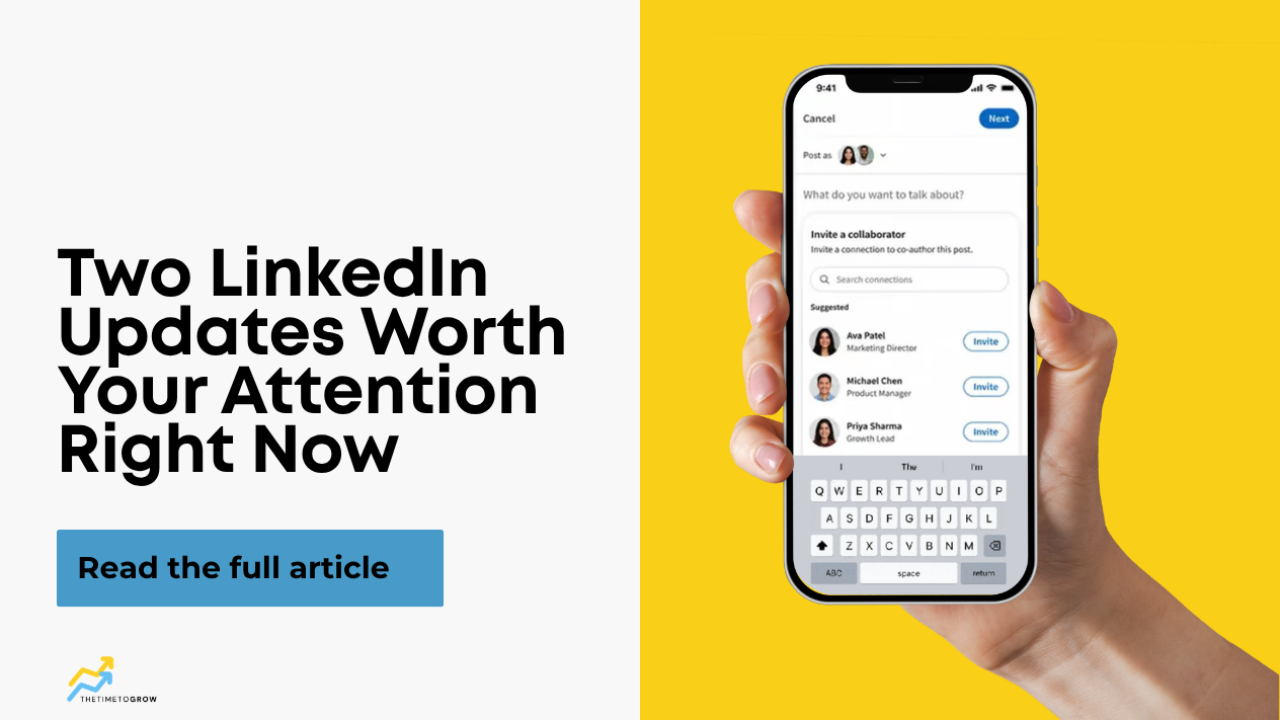
LinkedIn does not send a memo when it changes something. Most of the time we find out the same way you do. We log in to update a profile or schedule a post, and there is a new button sitting where there was not one before.
Two of those showed up recently, and both are worth a few minutes of your time. One is a new way to post. The other is a small change to your profile that is already live whether you noticed it or not.
Update One: Post Collaboration
LinkedIn now lets you add collaborators to a post. You can invite up to five connections or company pages to appear on the post with you, and it shows up in the feed as a shared piece of content.
Here is how to find it. Click Start a post on desktop or in the mobile app. You will see the usual settings, like who can see the post and who can comment. To the right of those, look for a button that says Add collaborators. Type a name or a company page, select it, and save. You can add up to five before you publish.
One detail that matters: a collaborator has to accept. When you add someone, they get a notification letting them know you invited them to collaborate. Nothing appears on their side until they click accept. So if you are planning a collaborative post, give your partners a heads up before you publish so they know to look for it.
A quick note on availability. This feature is still rolling out. If you click Start a post and do not see the Add collaborators button yet, you do not have it yet. It will show up eventually, so check back.
When should you use it? This is not a feature for every post. It is built for moments where more than one person has a real stake in the content:
A workshop or event with multiple speakers. A LinkedIn Live with co-hosts. A book or project you built with someone else. An announcement that involves a referral partner, business partner, or client who shares your audience.
That last point is the opportunity. When a post carries two or more names, it reaches two or more networks. If you have strategic partners who serve the same type of client you do, a collaborative post is one of the simplest ways to get your content in front of people who have never seen it before.
Update Two: The Present Label In Your Experience Section
This one is already on your profile. Scroll to your Experience section and look at the right side of each role. Anything you are currently doing now shows the word Present. Anything with an end date shows nothing.
You cannot click it or turn it off. LinkedIn added it automatically for everyone. What it does is tell the person viewing your profile, at a glance, what you are focused on today versus what you did in the past.
If you run more than one business, like we do, you will see Present next to each one. That is useful, but only if the roles you want people to notice are near the top.
Here is how to rearrange them. Click the edit pencil at the top right of your Experience section. You will see an up and down arrow icon. Click that, and each role gets a drag handle on the left, the four short horizontal lines. Grab the role you want people to see first and move it up.
Why this matters more than it sounds. Your profile is the first thing a prospect checks after they see your content. If the role you are actively marketing is buried under three older positions, the person reading your profile has to work to figure out what you do now. Most will not. The Present label plus a little reordering gets the right role in front of them without any extra effort on their part.
The Bottom Line
LinkedIn is going to keep adding features. Some will matter for your business and some will not. The professionals who get the most from the platform are not the ones who try everything. They are the ones who ask one question before using a new feature: how does this help me build a relationship, strengthen my authority, or create a new opportunity?
Post collaboration passes that test when you have the right partner. The Present label passes it the moment you take five minutes to put your current focus at the top of your profile.
Pick one of these this week and do it.
Want Help With the Content Side?
If getting posts out consistently is the part that keeps slipping, we put together three high impact post templates for LinkedIn. They give you a simple structure to fill in so you can write a strong post without starting from a blank screen. They are free, and you can grab them here:
